For Channel Operators
Show the data you saw
before you called it.
FlashGuard Verify gives Telegram channel operators a structural analysis layer + an automatic decision log. Every call you post leaves a record. Every call you avoid leaves a record. Hard to fake, easy to verify.
What runs your day
The 4 things every channel operator deals with
⏱
5 tools, 5 minutes, missed window
GMGN, RugCheck, Bubblemaps, DexScreener, Solscan — switching between them takes 5 minutes per token. The window closes before you decide.
💬
Defending bad calls drains your day
When a token rugs, you spend hours explaining what you saw. You have nothing to show. Just words against words.
🌊
Good judgment leaves no trace
You avoided 8 rugs this month. Nobody knows. Skipping a token is the most underrated skill in this market — and it disappears the moment you don't post.
🪞
Every channel looks the same
Every operator claims 85% win rate. Followers can't tell channels apart. Trust is built on screenshots that get cherry-picked.
What changes
Run your channel this way
Verify the structure before you post
Paste a CA. The bot returns a structure card in ~10 seconds: suspicion level, funder chain, entity estimation, pattern tags. Every claim has a Solscan TX link.
Classify your decision in one click
The card has 4 buttons: Strong Call / Watchlist / Avoid / Research Only. One tap and your decision is logged with the analysis snapshot.
Forward to your channel automatically
Register your channel once. After that, the share button posts the verified card directly to your channel — with the bot as author so the message can be tracked.
Let the bot grade your decisions
Every call is tracked for 24 hours. Rug avoidance, deletion rate, and your decision history are stored in an append-only log. Your original call type can never be edited after the fact.
What it actually looks like
From paste to record — every step
1. What you see
Structure card after pasting a CA
Suspicion level + funder groups + pattern tags + checklist. All claims linked to Solscan.
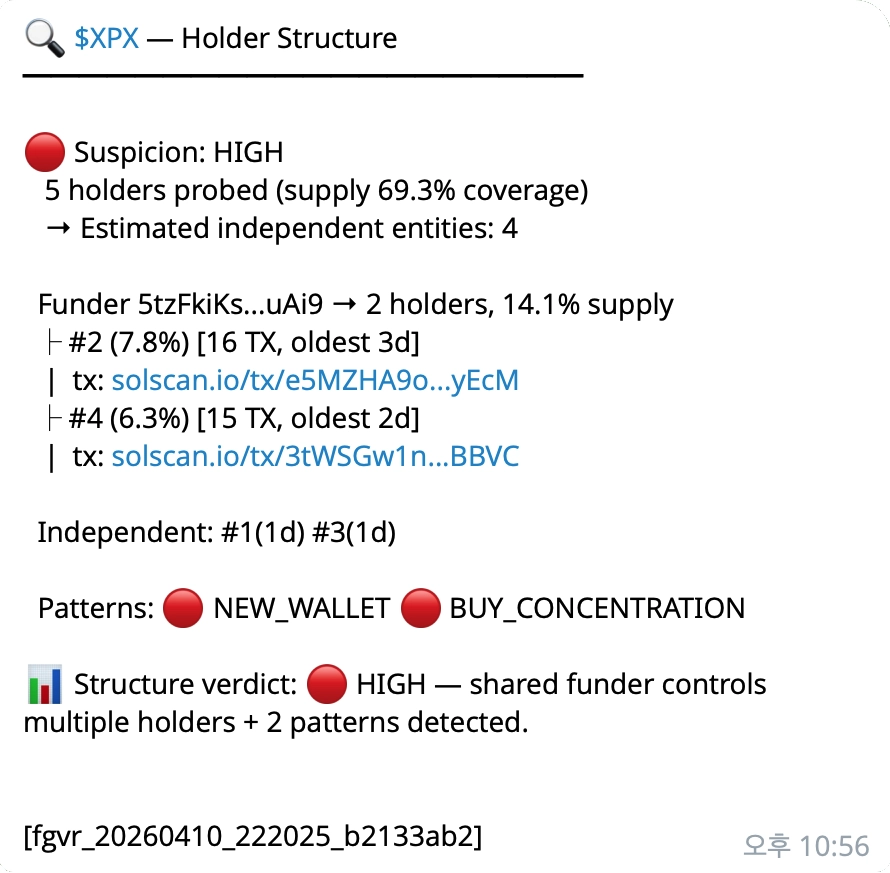
$XPX example: HIGH suspicion, shared funder controlling 14.1% supply across 2 holders, NEW_WALLET + BUY_CONCENTRATION patterns detected.
2. What you click
Inline buttons under the card
📞 Strong Call · 👀 Watchlist · ⚠️ Avoid · 📚 Research Only
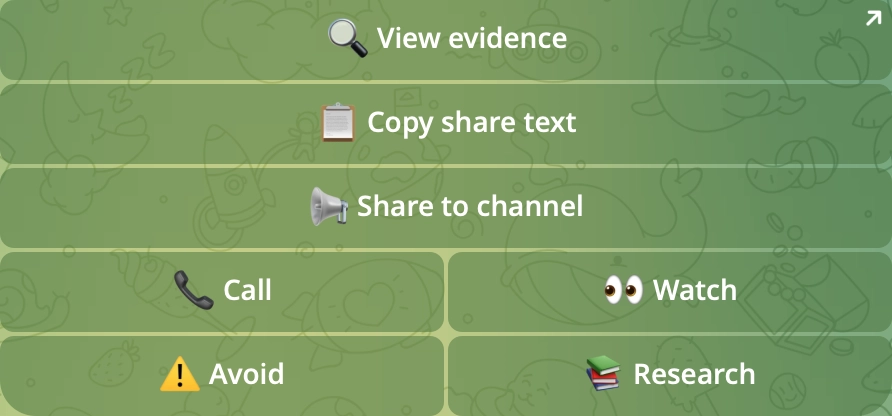
One click. The bot replies with a Call ID and locks the original_call_type permanently.
3. What the bot records
Decision log via /stats
Total calls, classification breakdown, rug avoidance (24h), tracked delete rate. KPI hidden until 10+ strong_calls accumulated.
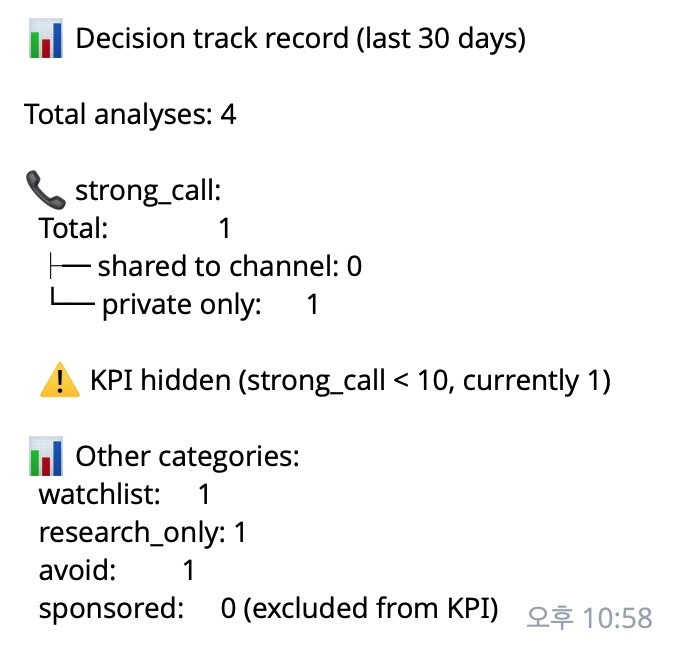
Uses original_call_type — promoting watchlist → strong_call after the fact does NOT change the KPI.
4. What your subscribers see
Public evidence page they can verify themselves
Every analysis becomes a permanent URL: flashguard.co/verify/{ca}?run={id}. Share it in your channel — subscribers open the same Solscan-linked evidence in their own language.
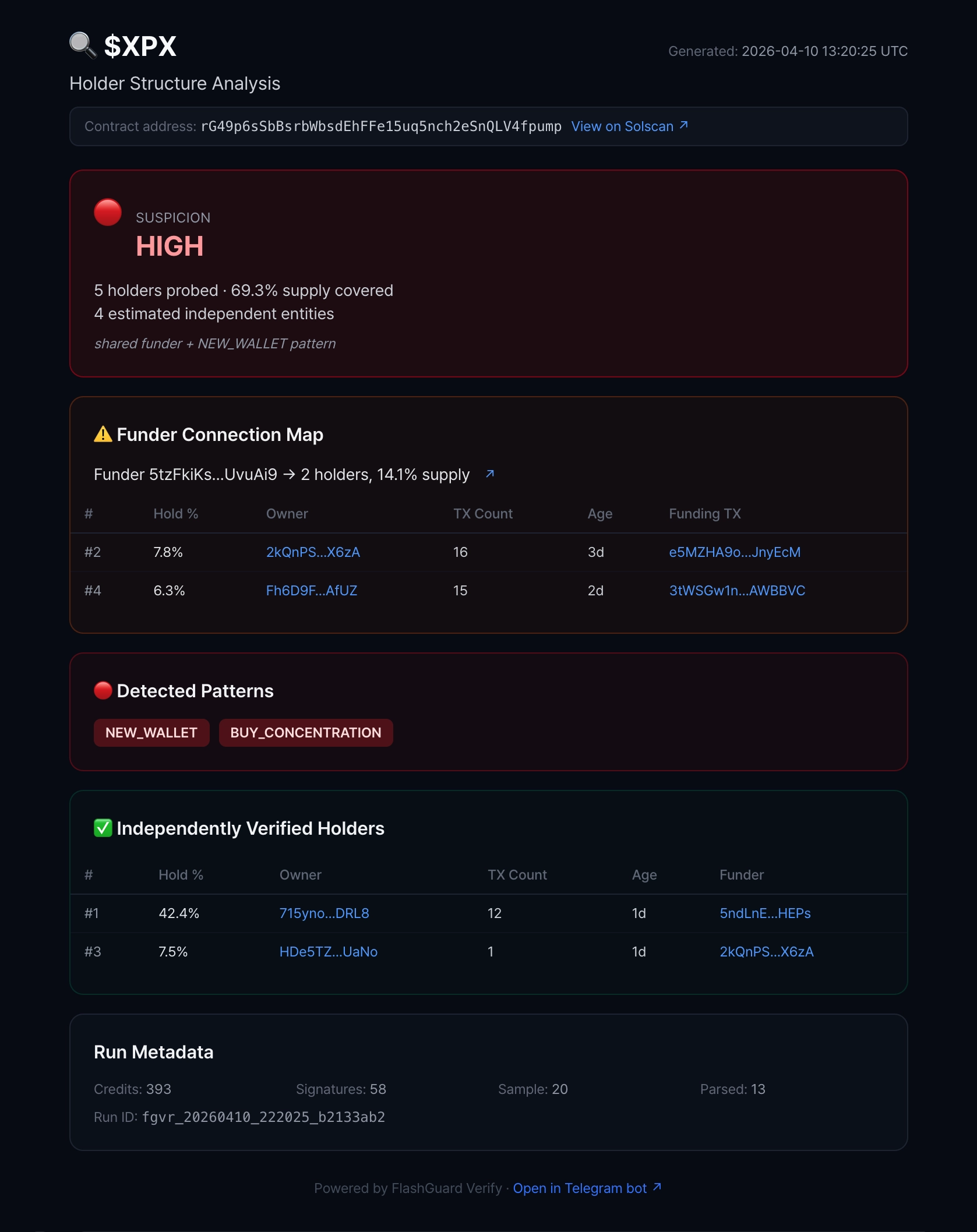
$XPX example below — the same run_id you analyzed is what your subscribers see. Available in 5 languages (en/ko/zh/tr/id), no login required.
Honest status
What's live and what's not
✅ Live now
- • Holder structure card (suspicion level, funder chain, entity estimation, patterns)
- • Solscan TX evidence links on every claim
- • Channel registration + one-click forwarding
- • 4-way call classification (Strong Call / Watchlist / Avoid / Research Only)
- • Append-only decision history (DB-level guard)
- • Original call type lock (no after-the-fact promotion)
- • Aftermath worker (24h auto-tracking)
- • Private /stats command (rug avoidance + tracked delete rate)
- • Independent reverse verification tool (PublicNode + RugCheck cross-check)
⬜ Coming soon
- • Public operator track record page
- • Deployer rug history accumulation page
- • Channel-branded share cards (white-label)
- • Cross-token funder database visualization
- • Deeper KPIs (success rate, peak multiplier, drawdown, avoid precision/coverage)
Three ways to start
No commitment. Each step is reversible.
Register your channel
Add the bot as channel admin. Use /setchannel @yourchannel inside the bot. Now your share button publishes directly.
Open the bot →"We don't tell you what to call. We make it harder to lie about what you saw."